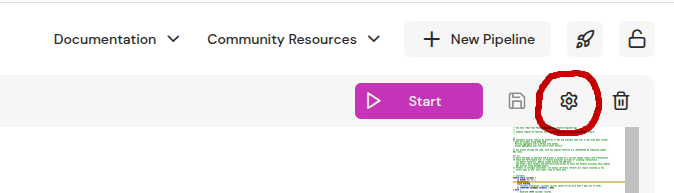
Pipelines come with a set of configuration settings to toggle features, tune performance, and help with operations. If you're on the Enterprise Edition, you will likely need to configure the resources section to tune the CPU, memory, and storage resources used by the Pipeline depending on your infrastructure needs. Other than that, users rarely need to deviate from the supplied defaults.
Make sure to appropriately size resource limits (memory and storage), the number of worker threads and the storage backend to utilize available cluster resources.
checkpoint_during_suspend
boolean
Default: true
Deprecated: setting this true or false does not have an effect anymore.
clock_resolution
string or null
Default: "1s"
Real-time clock resolution, for example 1s.
This parameter controls the execution of queries that use the NOW() function. The output of such
queries depends on the real-time clock and can change over time without any external
inputs. If the query uses NOW(), the pipeline will update the clock value and trigger incremental
recomputation at most once per clock_resolution. If the query does not use
NOW(), then clock value updates are suppressed and the pipeline ignores this setting.
Unset or null selects the default, DEFAULT_CLOCK_RESOLUTION.
clock_timezone_offset
string or null
Default: null
Fixed timezone offset for the SQL NOW() clock.
An ISO-8601 UTC offset, for example "+05:30" or "-08:00", that the
clock connector adds to every NOW() value it emits, so NOW()
returns local time in that fixed timezone instead of UTC.
The offset is baked into the pipeline's checkpointed state and cannot
be changed when the pipeline resumes from a checkpoint: the value from
the checkpoint stays in effect, and a differing new value is ignored
with a warning in the pipeline log.
cpu_profiler
boolean
Default: true
Enable CPU profiler.
The default value is true.
datafusion_memory
string or null
Default: null
DataFusion memory pool size, such as "1Gi", shared by the ad-hoc
query engine and the Delta Lake / Iceberg connectors.
Carved out of max_rss (falling back to resources.memory_max); the
remainder goes to the DBSP circuit, so the two do not double-book RAM.
Unset: defaults to 5% of the effective budget, capped at 2 GB.
Pipelines that don't run heavy ad-hoc / Delta / Iceberg workloads
can leave this unset.
Set this explicitly for ad-hoc queries, or Delta / Iceberg scans,
over data too large for the default share. A pool that cannot hold
the query surfaces as ResourcesExhausted on that query alone; the
pipeline keeps running.
No pool limit applied if no overall budget is configured.
Before release 0.367.0 this setting was datafusion_memory_mb, a
number of megabytes. That name is deprecated but still read.
These settings reflect experiments that may come and go and change from
version to version. Users should not consider them to be stable.
object
Default: {}
Environment variables for the pipeline process.
These are key-value pairs injected into the pipeline process environment.
Some variable names are reserved by the platform and cannot be overridden
(for example RUST_LOG, and variables in the FELDERA_,
KUBERNETES_, and TOKIO_ namespaces).
object
Default: {"model":"none"}
Fault-tolerance configuration.
The default [FtConfig] (via [FtConfig::default]) disables fault tolerance,
which is the configuration that one gets if [RuntimeConfig] omits fault
tolerance configuration.
The default value for [FtConfig::model] enables fault tolerance, as
Some(FtModel::default()). This is the configuration that one gets if
[RuntimeConfig] includes a fault tolerance configuration but does not
specify a particular model.
hosts
integer >= 0
Default: 1
Number of DBSP hosts.
The worker threads are evenly divided among the hosts. For single-host
deployments, this should be 1 (the default).
Multihost pipelines are an enterprise-only preview feature.
http_workers
integer or null <int64> >= 0
Default: null
Sets the number of available runtime threads for the http server.
In most cases, this does not need to be set explicitly and
the default is sufficient. Can be increased in case the
pipeline HTTP API operations are a bottleneck.
If not specified, the default is set to workers.
init_containers
any or null
Specification of additional (sidecar) containers.
io_workers
integer or null <int64> >= 0
Default: null
Sets the number of available runtime threads for async IO tasks.
This affects some networking and file I/O operations
especially adapters and ad-hoc queries.
In most cases, this does not need to be set explicitly and
the default is sufficient. Can be increased in case
ingress, egress or ad-hoc queries are a bottleneck.
If not specified, the default is set to workers.
logging
string or null
Default: null
Log filtering directives.
If set to a valid tracing-subscriber filter, this controls the log
messages emitted by the pipeline process. Otherwise, or if the filter
has invalid syntax, messages at "info" severity and higher are written
to the log and all others are discarded.
max_buffering_delay
string or null
Default: null
Maximal delay to wait for min_batch_size_records to get buffered by
the controller, for example 10ms. Defaults to no delay.
max_parallel_connector_init
integer or null <int64> >= 0
Default: null
The maximum number of connectors initialized in parallel during pipeline
startup.
At startup, the pipeline must initialize all of its input and output connectors.
Depending on the number and types of connectors, this can take a long time.
To accelerate the process, multiple connectors are initialized concurrently.
This option controls the maximum number of connectors that can be initialized
in parallel.
The default is 10.
max_rss
string or null
Default: null
The maximum amount of memory that the pipeline is allowed to use on
each host, such as "16G" or "16Gi".
Setting this property activates memory pressure monitoring and backpressure
mechanisms. The pipeline will track the amount of remaining memory and
report the memory pressure level via the memory_pressure metric.
As the memory pressure increases, the system will apply increasing backpressure
to push state cached in memory to storage, preventing the pipeline from running
out of memory at the cost of some performance degradation.
It is strongly recommended to set this property to prevent the pipeline from
running out of memory. The setting should not exceed the memory limit of the pipeline
instance.
When max_rss is not specified but resources.memory_max is set, the
latter is used as the effective memory cap for the pipeline.
The pipeline caps this limit at the memory available to it, which is the
host's memory or the container's memory limit, whichever is smaller. It
rechecks the available memory every second.
Before release 0.367.0 this setting was max_rss_mb, a number of
megabytes. That name is deprecated but still read.
The controller delays pushing input records to the circuit until at
least min_batch_size_records records have been received (total
across all endpoints) or max_buffering_delay has passed
since the first input record was buffered.
Defaults to 0.
pin_cpus
Array of integers[ items >= 0 ]
Default: []
Optionally, a list of CPU numbers for CPUs to which the pipeline may pin
its worker threads. Specify at least twice as many CPU numbers as
workers. CPUs are generally numbered starting from 0. The pipeline
might not be able to honor CPU pinning requests.
CPU pinning can make pipelines run faster and perform more consistently,
as long as different pipelines running on the same machine are pinned to
different CPUs.
object or null
Default: null
Configuration for supplying a custom pipeline StatefulSet template via a Kubernetes ConfigMap.
Operators can provide a custom StatefulSet YAML that the Kubernetes runner will use when
creating pipeline StatefulSets for a pipeline. The custom template must be stored as the
value of a key in a ConfigMap in the same namespace as the pipeline; set name to the
ConfigMap name and key to the entry that contains the template.
Recommendations and requirements:
Start from the default template and modify it as needed. The default template is present
in ConfigMap named as <release-name>-pipeline-template, with key pipelineTemplate in the release
namespace and should be used as a reference.
The template must contain a valid Kubernetes StatefulSet manifest in YAML form. The
runner substitutes variables in the template before parsing; therefore the final YAML
must be syntactically valid.
The runner performs simple string substitution for the following placeholders. Please ensure these
placeholders are placed at appropriate location for their semantics:
{id}: pipeline Kubernetes name (used for object names and labels)
{name}: pipeline name as a quoted JSON string (use it only as a whole YAML value)
{namespace}: Kubernetes namespace where the pipeline runs
{pipeline_executor_image}: container image used to run the pipeline executor
{binary_ref}: program binary reference passed as an argument
{program_info_ref}: program info reference passed as an argument
{pipeline_storage_path}: mount path for persistent pipeline storage
{storage_class_name}: storage class name to use for PVCs (if applicable)
{deployment_id}: UUID identifying the deployment instance
{deployment_initial}: initial desired runtime status (e.g., provisioning)
{bootstrap_policy}: bootstrap policy value when applicable, otherwise none
{silent_bootstrap}: yes or no
{concurrent_bootstrap}: yes or no
{hosts}: number of hosts the pipeline runs on
{multihost}: yes or no
The substitution has no escape: do not use these names in braces as literal text.
provisioning_timeout
string or null
Default: null
Timeout for the Provisioning phase of the pipeline, for example 5m.
Setting this value will override the default of the runner.
Jaeger tracing endpoint to send tracing information to.
workers
integer <int32> >= 0
Default: 8
Number of DBSP worker threads.
Each DBSP "foreground" worker thread is paired with a "background"
thread for LSM merging, making the total number of threads twice the
specified number.
The typical sweet spot for the number of workers is between 4 and 16.
Each worker increases overall memory consumption for data structures
used during a step.
Every setting that holds a length of time, such as
fault_tolerance.checkpoint_interval or clock_resolution,
takes a string made of a number and a unit: "500ms", "30s", "1h30m",
"30d". The units are ns, us, ms, s, m, h, and d; several terms
in a row are summed.
The name each of these settings had before, such as
checkpoint_interval_secs, is still accepted as a deprecated alias and makes
the pipeline log a warning that names the setting to write instead. Writing
both names of one setting is an error. A pipeline whose stored configuration
still uses an older name keeps it until the configuration is next saved, and
the web console and the API show it as stored: to change such a setting,
replace the older name with the current one rather than adding the current
one beside it. The older names are removed no earlier than release 0.368.0.
The Delta connector's log_retention_duration is the one exception: it passes
its value through to Delta Lake, which has its own "interval 30 days"
syntax.
Every setting that holds an amount of memory or storage, such as
resources.memory_max, max_rss or storage.cache_size, takes a string made
of a number and a unit, in the format Kubernetes uses for a quantity: "16G",
"4Gi", "512Mi", "64Ki". The decimal units k, M, G, T, P and
E are each a thousand times the one before; the binary units Ki, Mi,
Gi, Ti, Pi and Ei are each 1024 times the one before. A unit may carry
a trailing B, and a bare number is a number of bytes.
A setting whose older name counted megabytes or mebibytes, such as
memory_max or storage.cache_size, refuses a quoted number with no unit:
"16000" would mean sixteen kilobytes where the unquoted 16000 of the older
spelling meant sixteen gigabytes, so write "16000M" or "16G".
The name each of these settings had before, such as memory_mb_max, is still
accepted as a deprecated alias, takes the bare number of megabytes, mebibytes
or bytes it always took, and makes the pipeline log a warning that names the setting to
write instead. Writing both names of one setting is an error. The older names
are removed no earlier than release 0.369.0.
The NATS consumer's max_bytes is the one exception: it is a NATS pull option
passed through as NATS spells it.
The runtime configuration cannot be edited at all if the pipeline is not stopped.
If the pipeline is stopped, but its storage has not been cleared, the pipeline cannot be renamed, and the following
runtime configuration fields cannot be edited:
POST, PUT, and PATCH refuse a runtime_config with a value outside these limits, with a 400
InvalidRuntimeConfig error. On all installations, resources.storage_min cannot be more than
resources.storage_max. A runtime configuration stored before a limit was set still loads, but the
pipeline does not start until the value is changed.
GET /v0/pipelines/example returns the resources the pipeline is set to in deployment_config.
deployment_config cannot be combined with other fields in the same PATCH. PUT accepts it
only unchanged, so a pipeline read with GET can be written back.
Only cpu_cores_min, cpu_cores_max, memory_min and memory_max can be changed.
Kubernetes cannot change the QoS class of a running pod. A change that it cannot apply while the
pipeline runs, such as making a request equal to its limit, is written to the pipeline log, and
the next start uses it.
Only single-host pipelines can be resized.
The runtime configuration does not change. The resize lasts across restarts until storage is
cleared or CPU or memory is changed in the runtime configuration.
A change to memory_max also changes the pipeline's memory limit, unless max_rss is set. A
smaller limit applies at once, so the pipeline moves state to storage before the pod shrinks. A
larger limit applies when the pod has grown.
Requires Kubernetes 1.34 or later and
kubernetesRunner.enablePipelineResize in the Helm chart.
The "optimized" compilation profile (default) should be used when running production pipelines where performance is important.
The "optimized_symbols" profile adds minimal debug information (to display line number and file information in backtraces).
It can lead to significantly larger pipeline binary sizes (can be up to 2x in practice). However, it is useful to run with this
profile if you want to debug unexpected panics during pipeline execution.
cache
boolean
Default: true
If true (default), when a prior compilation with the same checksum
already exists, the output of that (i.e., binary) is used.
Set false to always trigger a new compilation, which might take longer
and as well can result in overriding an existing binary.
Enumeration of possible compilation profiles that can be passed to the Rust compiler
as an argument via cargo build --profile <>. A compilation profile affects among
other things the compilation speed (how long till the program is ready to be run)
and runtime speed (the performance while running).
runtime_version
string or null
Default: null
Override runtime version of the pipeline being executed.
Warning: This setting is experimental and may change in the future.
Requires the platform to run with the unstable feature runtime_version
enabled. Should only be used for testing purposes, and requires
network access.
A runtime version can be specified in the form of a version
or SHA taken from the feldera/feldera repository main branch.
Examples: v0.96.0 or f4dcac0989ca0fda7d2eb93602a49d007cb3b0ae
The value gen2 names an engine rather than a runtime commit: the SQL
compiler captures the circuit IR and the runner launches the Gen-2
engine, so no pipeline binary is compiled. gen2:<sha> selects the
engine build of that commit, where the runner supports it.
A platform of version 0.x.y may be capable of running future and past
runtimes with versions >=0.x.y and <=0.x.y until breaking API changes happen,
the exact bounds for each platform version are unspecified until we reach a
stable version. Compatibility is only guaranteed if platform and runtime version
are exact matches.
Note that any enterprise features are currently considered to be part of
the platform.
If not set (null), the runtime version will be the same as the platform version.
use_platform_compiler
boolean
Default: false
Use the platform SQL compiler when a non-platform runtime_version is specified.
Warning: This setting is experimental and may change in the future.
Requires the platform to run with the unstable feature runtime_version enabled.
When false (default), the SQL compiler matching the runtime_version is
downloaded and used. When true, the platform's SQL compiler is used instead.
Setting this to true avoids downloading the runtime-version-specific SQL
compiler JAR (e.g., when network access is unavailable or slow), at the cost
of potentially using a mismatched SQL compiler. The Rust runtime sources are
still checked out and compiled from the requested runtime_version.
Has no effect when runtime_version is not set or the platform does not have
the unstable feature runtime_version enabled.